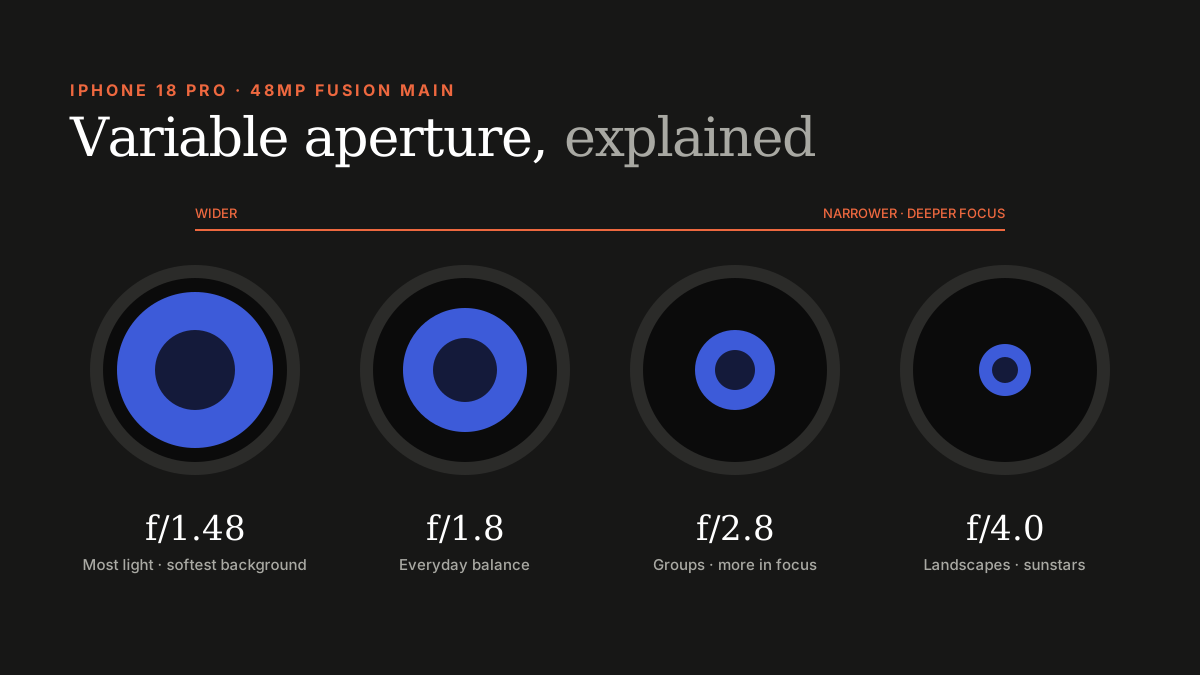
Pro Controls let you pick the main camera's aperture (f/1.48, f/1.8, f/2.8 or f/4.0), set shutter speed and white balance, and watch a live histogram. Start with aperture priority and let the phone handle the rest.
For the first time, the iPhone Camera app gives you real manual control. You don't need to be a photographer to benefit — a few settings cover most situations.
Choosing an aperture
| Aperture | Best for |
|---|---|
| f/1.48 | Low light, portraits with natural background blur |
| f/1.8 | The default — everyday shots |
| f/2.8 | Groups of people, food, close-ups needing more in focus |
| f/4.0 | Landscapes, architecture, bright sun |
Aperture priority vs shutter priority
- Aperture priority: you pick the aperture, the iPhone picks shutter speed. The best place to start.
- Shutter priority: you pick the shutter speed — fast to freeze sport or kids, slow for motion blur on water or traffic.
- Full manual: set both, plus ISO, when you want consistency across a series of shots.
White balance and the histogram
Manual white balance keeps colours consistent under mixed lighting — useful in malls and restaurants. The histogram shows whether highlights or shadows are clipping; if the graph is pressed against the right edge, reduce exposure.
Tips for the UAE
- Midday sun: use f/4.0 and keep an eye on the histogram for blown-out skies.
- Desert and beach: lower exposure slightly to keep sand detail.
- Night skylines: f/1.48 with a steady hand or a tripod.
Final Cut Camera
Final Cut Camera 2.4 adds the same aperture control for video, plus false colour, clipping indicators and focus peaking.
Sources
- Apple Newsroom: iPhone 18 Pro announcement
- Apple Newsroom: Final Cut Camera variable aperture
- Amateur Photographer: iPhone 18 Pro review
- BGR: iPhone 18 Pro review
Find Next Phone is an independent retailer. Apple, iPhone and iOS are trademarks of Apple Inc. Illustrations are our own and are not Apple product images.