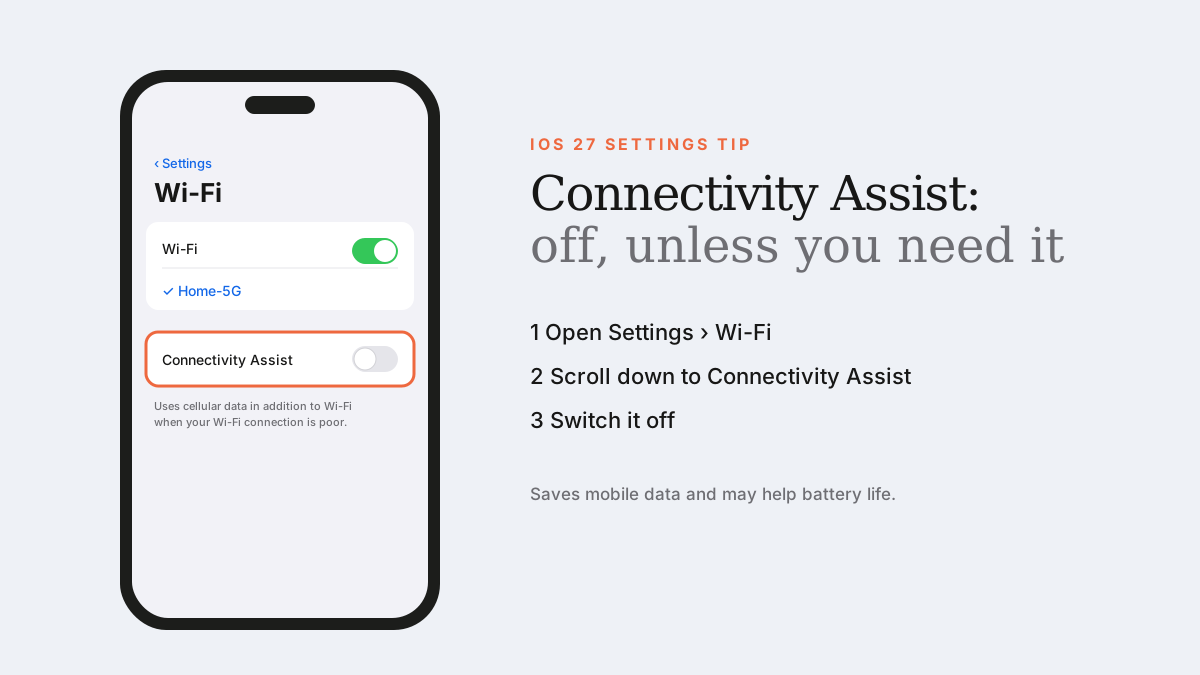
Go to Settings › Wi-Fi, scroll down and switch off Connectivity Assist. Leave it on only if your Wi-Fi is unreliable and you have plenty of mobile data.
Connectivity Assist is one of iOS 27's less-publicised features. It uses cellular data in addition to Wi-Fi to keep you connected when your Wi-Fi is weak — in the garden, at a café or in an airport.
That sounds helpful. But for many people it quietly costs mobile data and battery life.
Why we recommend turning it off
- Mobile data: Apple says you might use more cellular data with it on. On a capped UAE plan, that adds up.
- Battery: with it active, your phone keeps the cellular radio working alongside Wi-Fi. Many iOS 27 users report noticeably better battery life after turning it off.
- Ad and content blockers: reports say Connectivity Assist can send some DNS requests over cellular, which can bypass DNS-based ad blockers and filters on your home network.
How to turn off Connectivity Assist
You can also control it for a single network: tap ⓘ next to the network name in Settings › Wi-Fi.
- Open Settings.
- Tap Wi-Fi (make sure Wi-Fi is on).
- Scroll down and switch off Connectivity Assist.
When to leave it on
- Your home or office Wi-Fi drops out regularly.
- You have an unlimited or generous data plan.
- You make important video calls over Wi-Fi that can't afford to drop.
Good to know
- It doesn't work while roaming internationally.
- It's paused when Low Data Mode is on for cellular.
- You can check usage in Settings › Cellular and reset the statistics to monitor it.
Frequently asked questions
Is Connectivity Assist the same as Wi-Fi Assist?
They solve a similar problem. Wi-Fi Assist switched to cellular when Wi-Fi was poor; Connectivity Assist in iOS 27 can use cellular in addition to Wi-Fi.
Will turning off Connectivity Assist break anything?
No. Your phone will simply stay on Wi-Fi when you're connected, as it did before.
Sources
- Apple Support: About Connectivity Assist
- iDropNews: The iOS 27 setting that can drain battery and data
Find Next Phone is an independent retailer. Apple, iPhone and iOS are trademarks of Apple Inc. Illustrations are our own and are not Apple product images.