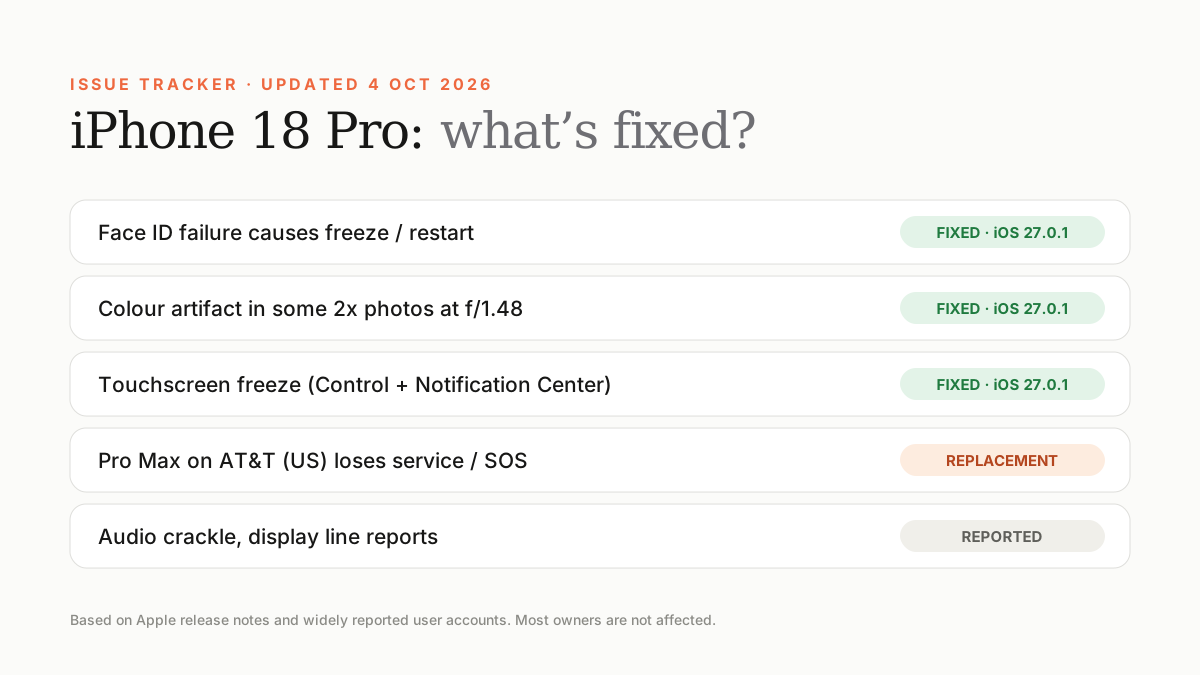
The three biggest software bugs — Face ID restarts, a 2x photo artifact and a touchscreen freeze — were fixed in iOS 27.0.1. AT&T service loss on some US Pro Max units needs a replacement. Audio crackle and display line reports are still being tracked.
Every new iPhone launch has teething problems, and iPhone 18 Pro is no exception. Here's every issue that has been widely reported, what causes it and whether there's a fix. We update this page as new information arrives.
Remember: most owners don't experience any of these problems.
Issue status at a glance
| Issue | Affects | Status |
|---|---|---|
| Freeze/restart when Face ID fails | 18 Pro & Pro Max | Fixed in iOS 27.0.1 |
| Colour artifact in 2x photos at f/1.48 | Small number of units | Fixed in iOS 27.0.1 |
| Touchscreen unresponsive (Control + Notification Center) | 18 Pro & Pro Max | Fixed in iOS 27.0.1 |
| Loss of service / SOS on AT&T | Some US Pro Max units | Hardware replacement |
| Crackling or popping audio | Some units, intermittent | Under investigation |
| Green or pink line on display | Isolated reports | Contact Apple Support |
1. Face ID freeze and restart
Some owners found that a failed Face ID attempt — especially when opening a locked app — froze the phone and forced a restart. Others saw 'Face ID is Not Available' during setup. Apple fixed the restart issue in iOS 27.0.1. See our full Face ID guide for steps if problems continue.
2. 2x photo colour artifact
A small number of phones produced a colour artifact on photos taken at 2x in certain lighting at f/1.48. Fixed in iOS 27.0.1.
3. Touchscreen freeze
Opening Notification Center and Control Center at the same time could leave the touchscreen unresponsive. Fixed in iOS 27.0.1.
4. AT&T cellular problems (US only)
A small number of iPhone 18 Pro Max units — which use a Qualcomm modem in the US — started in SOS mode or lost service on AT&T. Apple says software and carrier updates prevent new cases, but affected units need a hardware replacement. UAE-model Pro Max units use Apple's C2 modem and UAE networks aren't affected.
5. Audio crackle
Some owners hear intermittent crackling or popping while browsing, typing, on calls, toggling Airplane Mode or changing brightness quickly. If you hear it, note when it happens, update to the latest iOS and contact Apple Support if it continues.
6. Display lines
A few owners have reported a thin green or pink line on the display. A persistent line is usually a hardware fault — don't wait for a software update; arrange an inspection under warranty.
Frequently asked questions
Does iOS 27.0.1 fix the iPhone 18 Pro Face ID bug?
Yes. Apple says iOS 27.0.1 fixes an issue where iPhone 18 Pro and Pro Max could unexpectedly restart when Face ID failed to authenticate.
Are UAE iPhone 18 Pro Max units affected by the AT&T issue?
No. The issue affects some US Pro Max units on AT&T, which use a Qualcomm modem. UAE models use Apple's C2 modem.
Sources
- MacRumors: Apple releases iOS 27.0.1 with Face ID fix
- Tom's Guide: iPhone 18 Pro problems so far
- MacRumors: Apple statement on iPhone 18 Pro Max AT&T issue
- Tech Advisor: iPhone 18 Pro audio crackle reports
Find Next Phone is an independent retailer. Apple, iPhone and iOS are trademarks of Apple Inc. Illustrations are our own and are not Apple product images.